

Custom Website vs. Wix: Which Is Better for Scaling Your Business?
When you are running a business, every tool you use is an investment. Some tools save you time today, while others build equity for tomorrow. Your website is no different.
If you are trying to decide between building a custom-coded website and setting up a Wix site, you are likely at a crossroads. One option feels fast, cheap, and easy to manage yourself. The other feels like a significant commitment of time, money, and professional collaboration.
But here is the truth that many business owners learn the hard way: a website that works perfectly for a local bakery starting out can become a massive bottleneck for that same bakery when they try to launch nationwide shipping, set up a wholesale portal, and run complex marketing campaigns.
To make the right choice, you need to look past the marketing pitches and understand how these two approaches actually perform in the real world. Let’s break down the differences in bite-sized, practical terms.
1. The Core Philosophy: Renting vs. Owning
To understand the difference between Wix and a custom website, it helps to use a real estate analogy.
Wix is like renting a high-end apartment in a managed building.
- The Good: You do not have to worry about fixing the plumbing. The landlord handles the security. The walls are already painted a nice, neutral color, and you can move your furniture in over the weekend.
- The Bad: You cannot tear down a wall to make the kitchen bigger. You cannot paint the exterior. If the landlord decides to raise the rent, you have to pay it. And if you decide to leave, you cannot take the apartment with you. You have to pack your bags and find a new place to live.
A Custom Website is like building your own home on land you own.
- The Good: You choose the exact layout. If you want a three-car garage or a secret basement office, you build it. You own the brick, the mortar, and the soil. No one can kick you out, and you can remodel or expand whenever your needs change.
- The Bad: You are responsible for the construction. You need an architect and a builder (or you need to be one). If a pipe leaks, you have to fix it or hire someone to handle it.
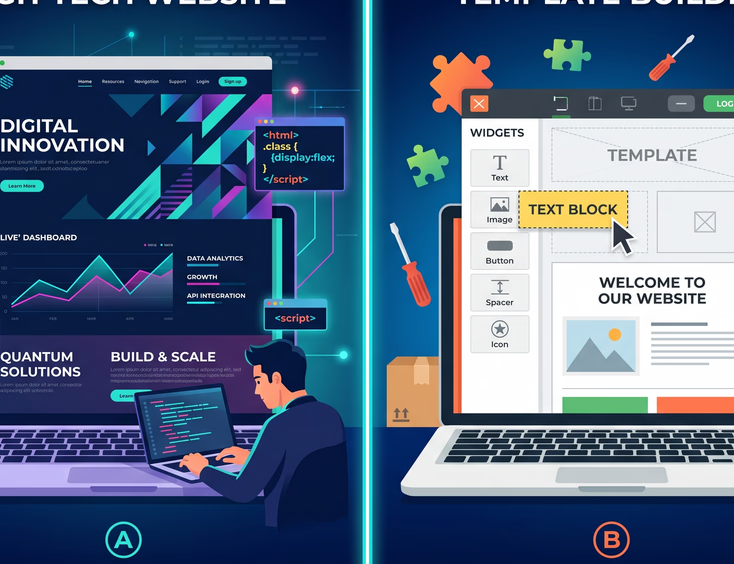
When you build on Wix, you are renting. You do not own the code, the hosting environment, or the platform. If you ever decide to leave Wix, you cannot export your website design to another provider. You have to start from scratch. With a custom website, you own every single line of code. It is a business asset that adds to your company's actual valuation.
2. Speed, Performance, and the "Swiss Army Knife" Problem
Most business owners do not think about site speed until they notice their bounce rate—the percentage of visitors who leave almost immediately—is sky-high.
In the digital world, speed is literally money. Studies consistently show that a one-second delay in page load time can drop conversions by up to 20%.
Here is how Wix and custom code handle speed differently:
The Wix "Swiss Army Knife"
Wix has to be everything to everyone. To make their drag-and-drop editor work for photographers, lawyers, e-commerce stores, and bloggers alike, they have to pack their platform with massive amounts of pre-written code.
When a visitor lands on your Wix site, their web browser has to load all of that underlying platform code, even if your specific site only uses a tiny fraction of it. This is what developers call "code bloat."
Imagine carrying a heavy Swiss Army knife in your pocket when all you actually need is a single toothpick. That extra weight slows you down. On Wix, that weight translates to slower loading times, especially on mobile devices using slower 4G networks.
The Custom Code "Scalpel"
A custom-built website is written from scratch. Developers only write the exact code needed to display your content and run your specific features. There are no heavy, unused systems running in the background.
Instead of a Swiss Army knife, you get a scalpel—ultra-light, incredibly sharp, and designed for one highly specific task. This streamlined nature makes custom websites load almost instantly, keeping your visitors happy and your bounce rates low.
3. The Mobile Experience: Fluid vs. Forced
More than half of all web traffic now comes from mobile devices. Because of this, Google indexes the mobile version of your website first when deciding where you should rank in search results.
Designing for mobile is not just about shrinking your desktop design; it is about changing how things look and function on a small screen.
| Feature | Wix Mobile Approach | Custom Code Mobile Approach |
|---|---|---|
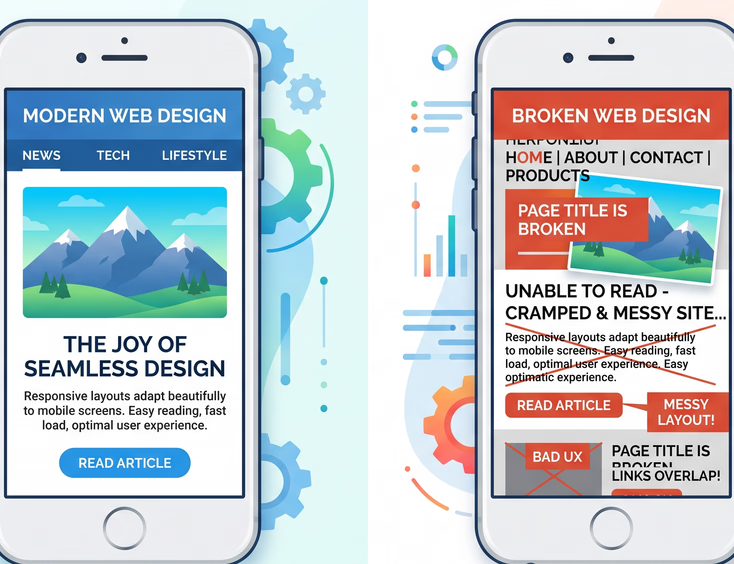
| Layout Method | Absolute Positioning: You design a desktop site, and Wix attempts to automatically generate a mobile version. You often have to manually rearrange elements in a separate mobile editor. | Responsive Design: The layout is built like liquid. It naturally flows, stretches, and shrinks to fit any screen size perfectly, from a tiny phone to a giant desktop monitor. |
| Consistency | Elements can easily overlap or break when viewed on different phone sizes (like an older iPhone vs. a brand-new Samsung Galaxy). | The layout is mathematically calculated to remain perfectly aligned and readable on every device. |
| Maintenance | If you make a major change to your desktop layout, you often have to go back and fix the mobile layout manually. | A single code update automatically adjusts itself across all screen sizes instantly. |
If your mobile experience is frustrating, users will click away to a competitor. Custom coding ensures your site feels like a premium, native mobile app, no matter what device your customer is holding.
4. Search Engine Optimization (SEO): Beyond the Basics
Wix has worked hard to improve its SEO tools over the years. For basic businesses that just need to rank for their business name and a few local terms, Wix can get the job done.
However, if your business model relies on organic search traffic to scale, Wix will eventually hold you back. Here is why:
Technical SEO Control
Search engines like Google use automated "bots" to read your website's code and understand what your pages are about. The cleaner your code, the easier it is for these bots to do their job.
- With Wix: You have limited control over the underlying code structure. You cannot easily customize how your site's files are loaded, how caching is handled, or how your database queries are structured. You are at the mercy of how Wix manages its servers and scripts.
- With Custom Code: You have absolute control. Your developers can optimize the site's architecture for maximum readability by search engines. They can implement advanced schema markup (special code that tells Google exactly what your content means), set up complex redirect rules, and build custom page structures that match your organic search strategy perfectly.
Programmatic SEO
As your business grows, you might want to scale your search footprint. For example, if you run a directory, a job board, or a multi-location service business, you might need to generate hundreds of highly optimized landing pages automatically.
Doing this manually on Wix is a nightmare. With custom code, developers can connect your site directly to a database, allowing you to generate thousands of clean, fast, and highly targeted landing pages programmatically. This is how platforms like Yelp, Airbnb, and Tripadvisor dominate search engine results.
5. The "App Trap" vs. Seamless Integration
Every growing business needs its website to talk to other software. You might need to connect your site to a Customer Relationship Management (CRM) system like Salesforce, an inventory tool, an email marketing platform, or a custom internal database.
This is where the divergence between these two approaches becomes glaringly obvious.
The Wix App Market
To add new features to a Wix site, you browse their App Market.
- The Good: You can add a booking form, a live chat widget, or an Instagram feed with a single click.
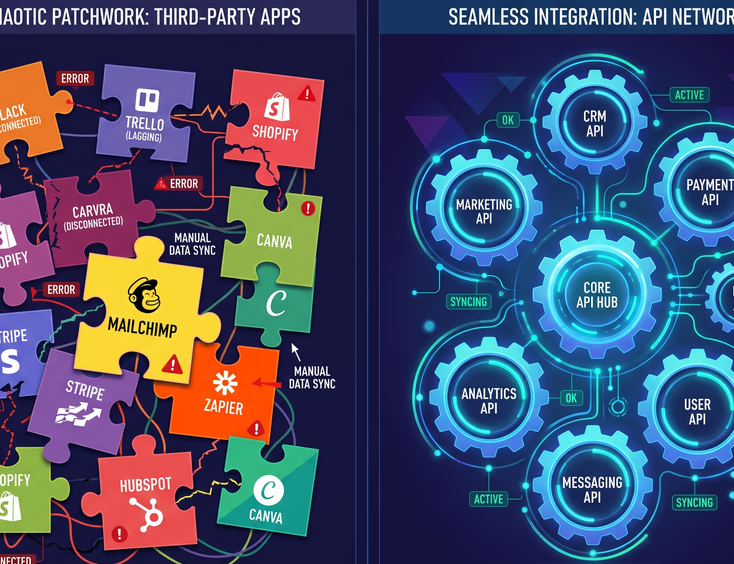
- The Bad: You are relying on third-party developers. If an app creator decides to stop updating their app, it can break on your site. If you need a highly specific feature—like a booking system that syncs with your unique warehouse management software—and there is no app for it in the store, you are stuck. You cannot hire someone to build a custom solution because you cannot access the root server to install it.
Furthermore, many of these apps require monthly subscription fees. What starts as a $29/month Wix plan can quickly balloon to hundreds of dollars a month once you add five or six premium apps to run your business.
Custom API Integrations
With a custom-coded website, there are no walls. If an external tool has an API (Application Programming Interface), your developer can connect it to your website.
What is an API? Think of an API as a waiter in a restaurant. Your website (the customer) tells the API what information it wants, and the API goes to the database (the kitchen) to fetch it.
Because you have full access to the code, your integrations are seamless, secure, and permanent. You do not have to pay monthly fees to middleman app developers, and you can build custom logic to automate your business operations exactly how you want.
6. Security and the "Target on the Back" Problem
Security is not a exciting topic until your website gets hacked, your customer data is leaked, or your site goes down during your biggest sales week of the year.
+-------------------------------------------------------------------------+
|                          WEBSITE SECURITY DYNAMICS                      |
+-------------------------------------------------------------------------+
|                                                                         |
|  [ WIX PLATFORM ]                                                       |
|   * Shared ecosystem = Single point of failure if a major exploit leaks |
|   * Closed code = You cannot patch security vulnerabilities yourself    |
|   * Passive safety = Wix handles server updates and basic firewalls     |
|                                                                         |
|  [ CUSTOM CODE ]                                                        |
|   * Isolated server = No shared risk with millions of other sites       |
|   * Open control = You can audit, lock down, and secure every file      |
|   * Active safety = Requires proactive maintenance (manual or managed)  |
|                                                                         |
+-------------------------------------------------------------------------+
The Wix Security Model
Because Wix is a closed platform, they handle the bulk of your security. They update the servers, patch system vulnerabilities, and keep the hackers at bay. For a small business owner with no technical knowledge, this is incredibly convenient.
However, there is a catch. Wix hosts millions of websites on the same infrastructure. This makes Wix a massive target for hackers. If a major security vulnerability is discovered in the core Wix platform, millions of sites are suddenly at risk at the exact same time. Additionally, because you do not own the hosting space, you cannot run your own deep security audits or install advanced, military-grade security protocols if your business handles highly sensitive client data.
The Custom Security Model
When you build a custom website, your code sits on its own isolated hosting environment. You are not sharing a digital backyard with millions of other websites, making you a much smaller target for automated hacking bots.
You have total control over your security stack. You can choose premium hosting providers with dedicated firewalls, set up multi-factor authentication, restrict database access to specific IP addresses, and write custom encryption algorithms to protect user data. While you do have to manage updates yourself (or pay a agency to do it), the level of protection you can achieve is far superior.
7. The Financial Reality: Looking at the Long-Term ROI
When you look at the price tags, Wix seems like the obvious financial winner. But as any seasoned business owner knows, the upfront cost is only one part of the equation. You have to look at the Total Cost of Ownership (TCO) over a three-to-five-year period.
Let's look at how the math actually shakes out over time.
The Wix Cost Curve (The Rental Model)
Wix starts cheap. You pay a small monthly fee, maybe buy a domain, and spend some sweat equity building it yourself.
However, as your business grows, you start hitting walls.
- The App Taxes: You need an advanced form builder ($10/mo), a custom booking system ($25/mo), a wholesale portal ($40/mo), and an advanced analytics tracker ($15/mo).
- The Efficiency Drain: Because the site is slow, your Google Ads are costing you more money to get the same amount of leads (Google charges more for ads that lead to slow, poorly designed landing pages).
- The Redesign Trap: Eventually, you outgrow the platform. When you finally decide to move to a custom solution, you cannot transfer your Wix site. The money and time you invested in building it is completely lost, and you have to pay the full price of a custom site anyway.
The Custom Code Cost Curve (The Asset Model)
A custom website requires a larger upfront investment. You are paying for a team of professionals—designers, developers, copywriters, and project managers—to build a high-performance business tool from scratch.
However, once the site is built, the ongoing costs are remarkably low.
- Low Monthly Overhead: You only pay for standard cloud hosting and domain registration. There are no mandatory monthly "app fees" because your features are built directly into your site’s code.
- Higher Conversion Rates: Because the site is lightning fast, perfectly optimized for mobile, and built specifically around your customers' buying habits, you convert more visitors into paying customers. Your marketing spend becomes significantly more efficient.
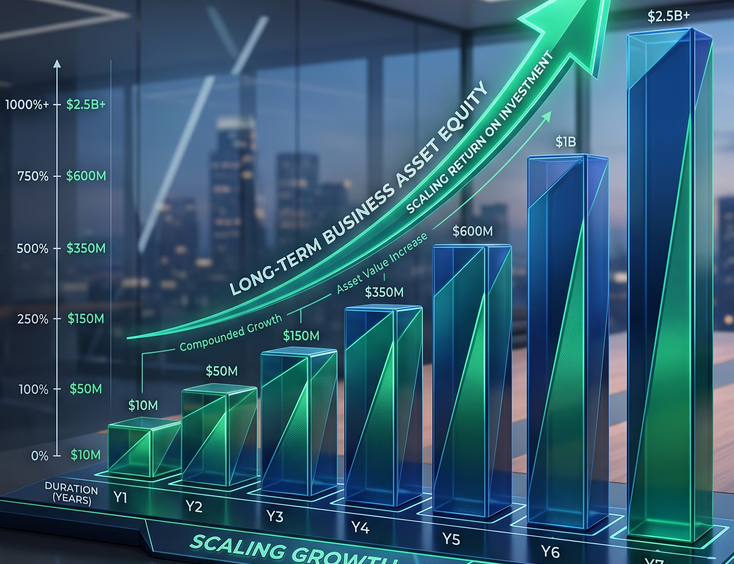
- Appreciating Asset: A custom website is an intellectual property asset. If you ever sell your business, a proprietary, custom-coded platform adds actual dollar value to your company’s balance sheet. A Wix site does not.
8. Making Your Decision: A Simple Checklist
If you are still on the fence, here is a direct, grounded guide to help you decide which path fits your current business stage.
Choose Wix if:
- You are in the testing phase: You are launching a brand-new business, you are not sure if the market wants your product yet, and you need to get something online this weekend.
- Your budget is strictly limited: You have less than $2,500 to invest in your digital presence and have the time to learn a drag-and-drop builder yourself.
- Your website is just a digital business card: You do not rely on your website for leads, sales, or complex operations. You just need a pretty place to display your phone number, hours, and address.
Choose Custom Code if:
- Your website IS your business: You run an e-commerce brand, a service business that relies on online bookings, a membership platform, or a company where client interaction happens online.
- You are actively scaling: You are investing in SEO, paid advertising, or content marketing, and you need every millisecond of speed and every ounce of conversion optimization you can get.
- You need unique functionality: You have a specific business process that requires custom calculations, third-party software connections, or a proprietary user portal.
- You want to build long-term equity: You view your business as a serious, scaling asset and want to own 100% of your digital footprint, your code, and your customer data.
At the end of the day, Wix is a fantastic launchpad. It has democratized the web for millions of hobbyists and micro-businesses. But a launchpad is meant to be jumped off of, not lived on. When your business is ready to grow, scale, and compete at the highest level, custom code is the vehicle that will get you there.
Ready to Break Through Your Wix Ceiling?
You shouldn't have to cross your fingers and hope your website doesn't crash every time you hit update.
Schedule Your Scaling Strategy Call