

Custom Website vs Legacy Builders (Divi & WPBakery): Why Old Page Builders Kill Mobile Speed
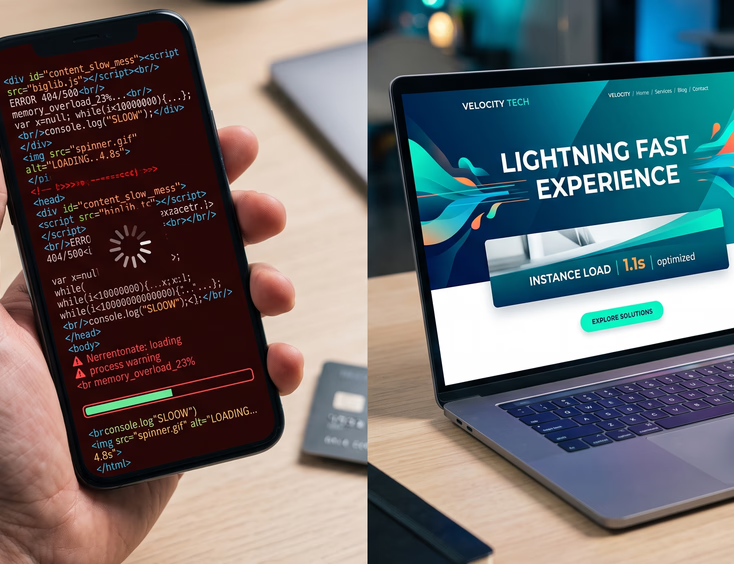
The modern web belongs to mobile devices. Over sixty percent of global internet traffic originates from smartphones. Because of this, search engines changed how they evaluate your business. Google uses mobile-first indexing, meaning it evaluates and ranks your website based purely on how it performs on a mobile screen, not a high-powered desktop computer.
Desktop computers easily force their way through heavy website bloat using raw hardware power and high-speed broadband connections.
Smartphones lack this luxury. Mobile users browse on fluctuating cellular networks using processors optimized for battery efficiency, not raw speed. When a mobile browser hits a heavy website, performance crawls. A page loading in two seconds on desktop easily takes eight seconds on a smartphone.
Every second of delay has financial consequences. If a mobile page takes longer than three seconds to load, over half of your visitors will hit the back button. They abandon your brand and go straight to a competitor whose site loads instantly.
What Are Legacy Page Builders?
In the mid-2010s, legacy page builders like Divi and WPBakery revolutionized the web industry. They allowed graphic designers and marketing agencies to build complex websites without writing code.
These tools function on a drag-and-drop model. If you want a column layout with an image and a form, you drag those elements onto a canvas. The software automatically handles the generation of the underlying code. This made web design highly accessible.
However, this convenience comes with a severe structural cost. Legacy page builders were engineered during an era when desktop computers ruled and performance metrics were far less stringent. Their underlying architecture prioritizes visual flexibility over code efficiency.
To allow instant visual adjustments without code, these builders pack an immense amount of generic framework files into the platform. This massive codebase loads on every single page view, even if those features aren't used. This obsolete approach directly compromises your mobile user experience and paid marketing campaigns.
Inside the Code: The Bloat Explained
When a web browser requests a page from your server, it reads the underlying HTML code from top to bottom. It treats this code as a blueprint to assemble the visual layout of your website. The cleanliness of this blueprint dictates how fast the browser can render your content.
Legacy builders create what software engineers call "shortcode soup" and excessive DOM depth. The DOM (Document Object Model) is essentially the family tree of your website's elements. A clean website has a shallow DOM, meaning the browser can reach and render content through very few structural layers.
When a legacy builder places a single text paragraph, it doesn't write a clean paragraph tag. It wraps that text in dozens of nested layout layers: sections, rows, columns, module wrappers, and inner containers.
<div class="et_pb_section">
    <div class="et_pb_row">
        <div class="et_pb_column">
            <div class="et_pb_main_blurb_wrapper">
                <div class="et_pb_blurb_content">
                    <div class="et_pb_blurb_container">
                        <p class="et_pb_tutorial_text">Your text goes here.</p>
                    </div>
                </div>
            </div>
        </div>
    </div>
</div>
This nesting means the browser has to parse six or seven layers of code just to display a single sentence. Multiply this by dozens of elements across an entire webpage, and the browser is forced to process thousands of lines of unnecessary code. This weight slows down the rendering engine, increases memory consumption, and delays the time it takes for visitors to see your information.
The 5 Massive Ways Old Page Builders Kill Mobile Speed
1. Extreme CPU Throttling on Mobile Devices
The central processing unit of a mobile phone is weaker than a desktop processor. When a phone browser downloads a website built with Divi or WPBakery, it downloads massive layout engines written in JavaScript.
The mobile CPU must read, parse, and execute all of this JavaScript before the page becomes fully interactive. While a desktop processor can execute these scripts in milliseconds, a mobile processor gets overwhelmed. The CPU spike causes the device to freeze temporarily, making the page feel completely stuck or laggy to the touch. This forces the user to wait while their device struggles to process the structural frameworks of the page builder.
2. Global Asset Loading (The Kitchen Sink Problem)
Legacy page builders operate on a global asset model. To ensure that any feature can be used at any moment on any page, the builder forces the website to load its entire library of styles and scripts across every single URL.
The Kitchen Sink Problem: If you use a specialized element—such as a countdown timer, a pricing table, or an animated counter slider—on just one specific landing page, the page builder will still force the mobile browser to download the CSS styles and JavaScript files for those elements on your homepage, your about page, and your contact page.
Your mobile visitors are constantly paying a performance penalty for features that do not even exist on the page they are looking at. This unnecessary data transfer consumes valuable mobile bandwidth and slows down initial page layout generation.
3. Destructive Core Web Vitals (LCP, INP, CLS)
Google measures real-world user experience using three specific metrics known as Core Web Vitals. Legacy builders fundamentally struggle to pass these strict standards:
- Largest Contentful Paint (LCP): This measures how fast the main content of your webpage loads. Because legacy builders require the browser to download heavy stylesheets and scripts before rendering the page, your LCP score drops significantly on mobile networks.
- Interaction to Next Paint (INP): This metric measures page responsiveness—how fast the page visually changes after a user clicks a button, opens a mobile menu, or taps a link. Because the massive JavaScript files of Divi and WPBakery occupy the mobile CPU's main thread, user inputs are delayed. The site feels unresponsive, causing a poor INP score.
- Cumulative Layout Shift (CLS): This tracks visual stability. As the heavy layout engines of legacy page builders slowly load and calculate column widths, margins, and paddings on the fly, content will visibly jump and shift around on the screen. Users accidentally tap the wrong buttons, creating massive frustration.
4. The Hidden Elements Trap (The Illusion of Responsiveness)
To make a website look acceptable on mobile devices, users of Divi and WPBakery frequently rely on a development trick: hiding elements. If a complex desktop layout or large image banner looks broken on a phone screen, the builder allows the user to click a setting that hides that entire section on mobile devices. They then build a separate, simplified section specifically for mobile views.
This creates a dangerous illusion. While the desktop section is invisible to the human eye on a smartphone, it is still completely present within the website’s source code. The mobile browser is still forced to download the invisible desktop assets, parse the hidden code, and process the images before applying a rule that tells the screen not to show it. You are effectively making mobile users download two distinct versions of your website simultaneously.
5. Database Overload and Server Strain
Every single module, layout change, margin adjustment, and styling option in a legacy page builder is stored as a row within your website's database. When a mobile visitor clicks on your URL, your web server must search through thousands of database entries to assemble the page configuration before it can even send the first byte of data back to the mobile device.
This architecture creates a massive bottleneck called high Time to First Byte (TTFB). If your server takes over a second just to figure out how to assemble the page builder's layout, your mobile performance is ruined before the browser even receives a single line of code. This constant database querying drains server resources and causes websites to crash during sudden spikes in traffic.

The Custom Website Evolution
A modern custom website is built on a completely opposite philosophy. Instead of using a heavy visual constructor, a custom website is engineered from the ground up using clean, lightweight code frameworks. Developers write specific HTML, CSS, and minimal JavaScript tailored exclusively to your business needs.
Custom development does not mean you lose the ability to manage your content. Modern platforms allow developers to build tailored content management systems using native block architectures, such as streamlined WordPress Gutenberg configurations or headless CMS solutions. Your team still retains a simple dashboard to edit text, swap images, and create new pages.
The critical difference lies under the hood. When a custom block is placed, it generates clean, semantic HTML with zero unnecessary wrapper containers. There are no bloated shortcodes, no hidden desktop sections, and no massive global script files.
More importantly, custom websites use a strategy called conditional loading. If a specific page requires a form or a gallery, the code for that form or gallery is loaded only on that specific page. The rest of your website remains entirely clear of that code weight. When a mobile device connects to a custom-engineered website, it receives a featherweight blueprint that its mobile processor can read, interpret, and display almost instantaneously.

Head-to-Head Comparison: Custom vs. Legacy Builders
| Performance Metric | Legacy Builders (Divi & WPBakery) | Modern Custom Engineered Website |
|---|---|---|
| Page Code Weight | Highly Heavy (Often 3MB to 5MB+) | Ultra Lightweight (Usually under 1MB) |
| Mobile Loading Speeds | Slow (Typically 6 to 12 seconds) | Fast (Typically 1 to 2 seconds) |
| Google Core Web Vitals | Frequent Failures (Red Scores) | Consistent Passes (Green Scores) |
| Mobile CPU Processing Strain | Extremely High (Causes lags) | Minimal (Instant execution) |
| Asset Delivery Method | Global Loading (Everything loads) | Conditional Loading (Only loads needed assets) |
| Code Structure and Delivery | Deeply Nested "Shortcode Soup" | Clean, Flat Semantic HTML |
| Mobile Responsive Strategy | Hides desktop blocks via CSS | Serves native mobile-optimized code |
| Long-Term Development Costs | High (Requires endless speed plugins) | Low (Maintains organic performance) |
| Organic SEO Ranking Potential | Heavily Penalized due to speed | Maximized due to perfect optimization |

The True Financial Cost of Slow Mobile Speeds
Many business owners view mobile page speed purely as a technical metric. In reality, mobile speed is a foundational metric that directly governs your digital revenue, marketing efficiency, and customer acquisition costs.
If you are running paid advertising campaigns across Google, Meta, LinkedIn, or TikTok, mobile speed completely dictates your return on investment. Paid traffic from social media and search engines is overwhelmingly mobile. When a user clicks your paid advertisement, your ad platform charges you for that click immediately. If your landing page is built on a heavy framework like Divi or WPBakery and takes seven seconds to load on their mobile connection, a massive percentage of those paid users will click away before your tracking pixels even load. You are actively paying for clicks that never see your value proposition.
Beyond paid media, slow mobile performance destroys your organic search presence. Google’s algorithms actively lower the rankings of websites that fail Core Web Vitals. If your competitor has a custom website that loads in under two seconds and your site takes six seconds, Google will systematically prioritize your competitor in search results, even if your written content is superior.
Slow speeds also erode consumer trust. Modern web users associate lightning-fast page speeds with professionalism and security. A laggy, jumping, slow-loading mobile experience projects an impression of an outdated business. The moment a user experiences technical frustration on your website, their friction threshold rises, making them far less likely to fill out a contact form, request a quote, or input their credit card information.
Speed Optimization Plugins Are Just Band-Aids
When a Divi or WPBakery site tanks on mobile, business owners default to optimization plugins. They stack caching tools, image compressors, and script deferrers, expecting a quick patch to fix a foundational flaw.
They are treating symptoms, not the disease. Plugins cannot cure the architectural mess of a legacy page builder. Minified bloat is still bloat—your user's mobile processor still has to unzip, parse, and execute every single line of that heavy code.
It is the equivalent of slapping aerodynamic tape onto a slow, overloaded delivery truck. It might look slightly better on paper, but it is still fundamentally inefficient.
Worse yet, stacking these plugins triggers severe technical instability. To trick speed-testing tools, they aggressively force script executions, which regularly breaks mobile menus, freezes contact forms, and collapses visual layouts entirely.
True mobile speed isn't achieved by adding software layers to hide bad code. It requires an engineering decision at the foundation. Strip away the restrictive drag-and-drop frameworks and switch to a clean, custom web infrastructure engineered for raw performance. That is how you keep your brand permanently fast, stable, and visible.
Ready to Leave Page Builders?
Stop fighting a clunky puzzle that shuffles your layout every time you try to edit one simple sentence.
Get Your Custom Website Today