

How to Eliminate Status Meetings by Automating Progress Logs and Client Feedback Workflows
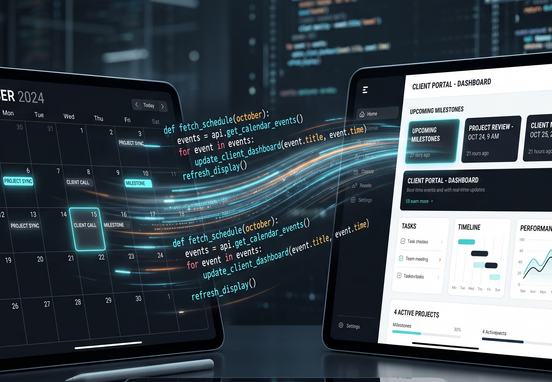
Synchronous status meetings are a primary source of operational friction in modern website design and development agencies. When developers, designers, and project managers must pause deep focus execution to provide verbal readouts of work completed, momentum stalls. This systemic reliance on manual meetings occurs because internal execution layers remain invisible to client-facing teams and external stakeholders. Without an automated framework aggregating daily progress logs, management defaults to synchronous standups to verify project velocity.
This synchronous communication loop is highly inefficient. A thirty-minute status meeting involving five team members costs two and a half hours of combined engineering focus. Furthermore, it introduces significant context-switching costs, as developers require substantial time to rebuild cognitive focus following an interruption. Replacing these alignment loops with automated background pipelines removes human variance, captures progress at the system layer, and establishes data transparency.
True operational efficiency requires capturing data at its origin. When a team member updates a ticket in a task tracker or pushes code to a repository, that event should automatically log progress globally. Moving toward asynchronous, automated progress tracking transforms client relationships from anxious monitoring cycles into clear data transparency. This guide outlines the technical patterns required to eliminate status meetings by automating progress logs and structuring client feedback loops.
Architectural Blueprints for Automated Progress Ingestion
Building an automated progression framework requires a central message broker capable of translating granular team activities into structured public logs. Relying on team members to manually fill out separate client-facing tracking sheets introduces data gaps and execution delay. Instead, your platform must ingest real-time events directly from your production tools using webhooks.
When an engineer changes a ticket status to completed or merges a pull request, the production application fires a webhook payload to an execution service. This microservice filters the event metadata, strips out internal jargon or sensitive developer notes, and compiles the core deliverables into an enterprise ledger. Setting up these pipelines requires stable architectural logic. Deploying custom trigger-action logic the foundation of sustainable web automations allows you to parse incoming payloads safely and map data fields to public-facing dashboards without manual checking.
The payload format below illustrates how internal repository updates can be structured automatically into external progress logs.
[Developer Action: Repository Push / Git Merge]
                       │
                       ▼
         [Production Webhook Dispatched]
                       │
                       ▼
            [Execution Microservice]
            ├─ Filters Incoming Event Metadata
            └─ Strips Internal Jargon & Dev Notes
                       │
                       ▼
       [Structured External Progress Log Created]
Parsing this structural footprint immediately allows backend workflows to update database states asynchronously. This event processing prevents team members from wasting time manually drafting status updates, while ensuring project telemetry remains accurate up to the second.
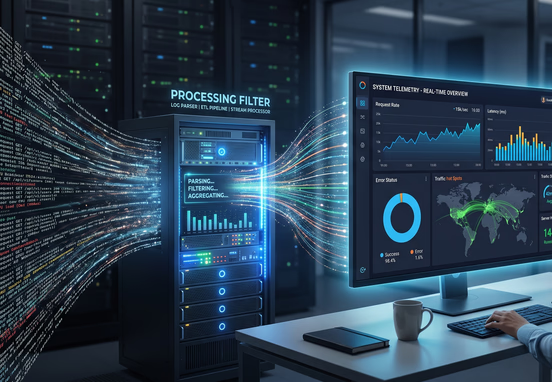
Aggregating Production Logs into Client-Facing Telemetry
Once parsed, this telemetry should route directly to an interface where clients can inspect progress independently. Expecting clients to search through emails or project management boards creates unnecessary confusion and leads to more impromptu meeting requests. By pushing real-time activity metrics directly to dedicated customer environments, you build continuous project visibility.
This infrastructure is most effective when integrated into your primary digital properties. Building a dedicated ecosystem with custom features allows businesses to track deliverables, project states, and internal tasks in one clear interface. If you are designing this frontend layout, reading about custom web vendor portals syncing sales shipping project milestones and work logs provides an absolute blueprint for maintaining secure, multi-tenant workspace environments.
This system updates client environments automatically based on production code changes:
- Code deployment triggers an updated progress bar status inside the client portal workspace.
- Production logs create clear, non-technical release notes using pre-mapped dictionary arrays.
- Automated status emails fire to the client only when key project milestones are cleared, replacing generic weekly check-ins.
Constructing Automated Client Feedback Interfaces
Eliminating status meetings also requires fixing how you gather client feedback. When an agency delivers a milestone, approvals are often delayed by long email threads, scattered chat messages, or vague markup files. This communication fragmentation causes long delays, as internal teams struggle to track down specific client change requests across multiple channels.
An automated feedback loop replaces this back-and-forth by forcing all client reviews into structured form logic embedded directly inside the project portal. When a milestone status shifts to "Pending Client Review," the system locks the development branch and triggers an automated notification to the client's dashboard. The client cannot request a meeting or bypass the form; they must enter their feedback into specific, structured data fields.
The system evaluates this feedback using conditional code paths to determine the next operational steps. If the client approves the milestone, the system automatically marks the task as closed, alerts the engineering team, and opens up the next sprint block. If revisions are requested, the feedback text is parsed, mapped to an internal bug ticket, and assigned to the project queue. Mapping out these sequential dependencies ensures your delivery engine remains stable, illustrating why the operational map and structured workflow logic are essential for scaling client services without expanding administrative headcount.
The Automated Milestone Review Code Blueprint
The code snippet below shows how an application backend handles incoming milestone evaluations and modifies project workflows dynamically based on client responses.
          [Incoming Client Feedback Form Payload]
                             │
                             ▼
                { Evaluate Approval Status }
                 /                        \
         IF APPROVED                   IF REJECTED
               /                            \
              ▼                              ▼
    [Status: Production_Ready]     [Status: Revision_Queue]
    ├── Notify Engineering Team    ├── Notify Engineering Team
    ├── Unlock Next Sprint Block   ├── Hold Next Sprint Block
    └── Log Completion Entry       └── Generate Revision Task Ticket
By enforcing this code-driven loop, the agency avoids the dreaded "quick alignment call" to clarify feedback. The system forces clarity at the point of submission, ensuring that developers receive clear, actionable input without scheduling a single synchronous interaction.
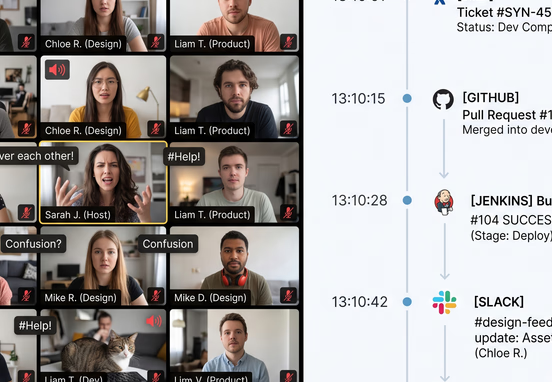
Comparing Communication Ecosystems: Synchronous vs. Asynchronous
To understand how moving to an automated model transforms your bottom line, consider how asynchronous tracking tools compare to traditional, human-managed status updates.
| Operational Metric | Traditional Status Meeting Model | Automated Progress Log Framework |
|---|---|---|
| Weekly Time Investment | 5 to 8 hours per project team member | Less than 5 minutes of automated oversight |
| Data Precision | Anecdotal readouts; highly vulnerable to human bias | Absolute logs captured straight from system events |
| Client Reassurance | Delayed updates; reliance on weekly check-ins | Real-time project tracking via secure portals |
| Feedback Resolution Speed | Days spent sorting through confusing email chains | Hours; structured feedback loops route tasks instantly |
| Context-Switching Drag | High disruption; breaks technical focus loops | Zero disruption; developers stay inside target workspaces |
This operational breakdown shows that automating your communication infrastructure significantly lowers your overhead. Shifting away from synchronous management saves valuable engineering hours that can be reallocated directly to shipping client code.
Centralizing Real-Time Telemetry via Operational Dashboards
Replacing manual meetings requires a single source of truth that aggregates progress across your entire project portfolio. This central hub lets executives and clients verify delivery velocity at a glance, completely removing the need to schedule alignment syncs.
Rather than forcing staff to manually compile project updates into static spreadsheets every week, your system can stream data from internal APIs directly into live visualizations. Transitioning to these live tracking tools is discussed in detail in our deep dive on how to build live operational dashboards for real-time reporting. This approach details how to connect disparate backend pipelines into unified, high-level business intelligence views.
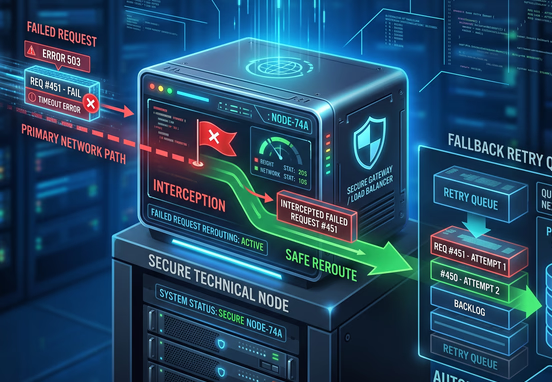
Hardening the Asynchronous Framework Against System Dropouts
Moving away from manual status updates means your automated logging infrastructure must run flawlessly. If your API integrations go down or webhook payloads drop silently, clients will quickly lose trust and demand a return to weekly status meetings.
To keep your asynchronous workflows reliable, your technical architecture must feature strong error recovery mechanisms, such as transactional retries and automatic system alerts. Setting up these defensive configurations ensures your progress logs stay accurate even during unexpected server issues or third-party API outages.
Operational Best Practices for Managing Automated Workflows
- Establish Clear Schema Rules: Validate all incoming feedback payloads to prevent formatting errors from breaking internal task boards.
- Enforce Asynchronous Guidelines: Ensure your internal teams use automated logging tools consistently instead of sliding back into casual chat check-ins.
- Use Automated Alerts Wisely: Send automated notifications to clients only for major project milestones to avoid email fatigue.
Tip: When introducing automated progress logs to a client, set clear boundaries during onboarding. Let them know that real-time updates are available in their portal 24/7, and explain that eliminating weekly status calls allows your engineering team to focus entirely on building their application faster.
To successfully transition your business to an automated model, you must systematically replace manual check-ins with custom backend integrations. For expanding enterprises and agencies, building a bespoke internal tracking ecosystem provides the clarity needed to scale operations without sacrificing delivery quality. Standardizing your data pipelines with a dedicated workflow and systems automation service lets you eliminate administrative bottlenecks, secure your intellectual property, and focus your human capital on creative execution.
Building these automated pipelines eliminates the communication gaps that hold back traditional service teams. Instead of spending hours chasing project updates, managing chaotic email threads, and sitting through redundant status meetings, your business operates through optimized, code-driven workflows. This systemic change ensures your projects stay on track, your clients remain informed, and your engineering resources remain focused on what matters most.